Tasks & Missions
Elowen is a personal AI agent you talk to, and this page explains how it organizes and executes the work you hand it. When you ask the agent to build, fix, or investigate something, it doesn't just reply — it turns your request into structured, trackable work. Tasks are the atomic unit of that work. Missions decompose a larger goal into ordered phases and drive them to completion. Each mission runs on an epic — the container task that holds its phases.
You never have to think in these terms to use Elowen — plain chat is enough. But the moment work gets bigger than a single step, this model is what lets you see exactly what the agent is doing and steer it. That visibility is the whole point: you always have a clear phase tree and a live view of progress in the Web UI.
How the agent structures work
A single task is one piece of work for one agent run — implement a function, fix a failing test, write a doc. When a goal is too big for one pass, the agent (or you) breaks it into a mission: an ordered sequence of phases, each of which is itself a task. Those phase tasks all hang off one epic — a container task — and the mission is what drives them to completion.
- Task — the atomic unit of work executed by an agent.
- Mission — an ordered group of tasks (phases) working toward one goal.
- Epic — the container task that holds a mission's phases. One epic, one mission: engaging a mission on an epic is what turns a plan into running work.
This is the same simple model whether you kicked the work off from chat, the CLI, the Kanban board, or a chat platform like Discord or WhatsApp.
Task lifecycle
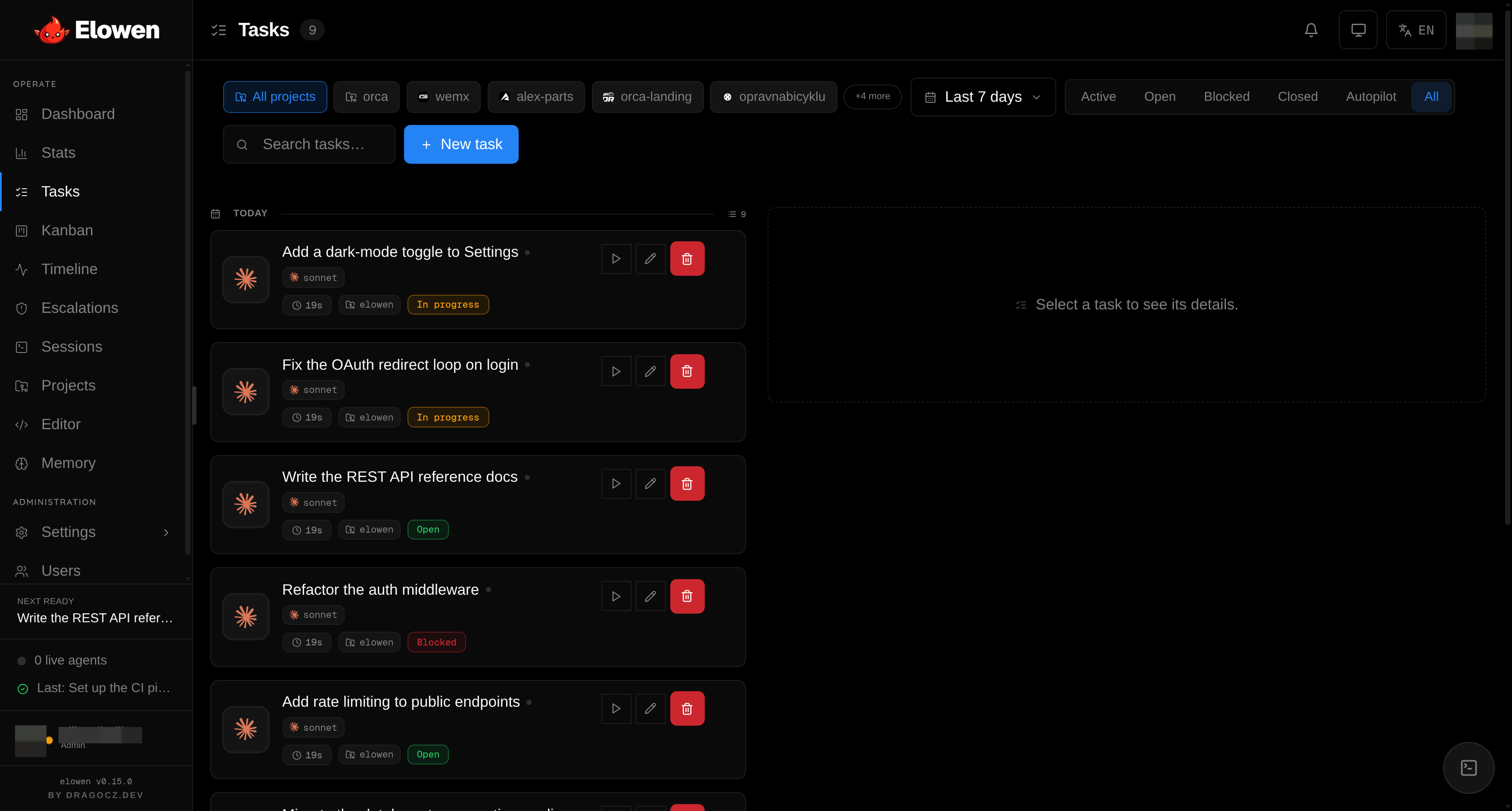
Every task moves through a small, predictable set of states:
open → in_progress → closed / cancelled / blocked
| Status | Meaning |
|---|---|
open | Ready to be picked up by an agent |
in_progress | An agent is actively working on it |
closed | The agent finished it (with an outcome: ok or fail) |
cancelled | You manually stopped it |
blocked | The stuck detector gave up, or an overseer review rejected the work — it needs your attention |
You watch these transitions live. On the Kanban board the columns map directly to this lifecycle (open / in-progress / blocked / closed), so a task physically moves across the board as the agent works.
Task types
Tasks carry a type so you can tell at a glance what kind of work each one is:
| Type | Meaning |
|---|---|
task | General implementation |
feature | New feature |
bug | Bug fix |
chore | Maintenance, refactoring |
epic | Container for sub-tasks (used by missions) |
Dependencies
Tasks can depend on other tasks via task_deps. A task stays open until all
of its dependencies are closed — this is how the agent enforces "do B only
after A is done." The Web UI surfaces blockers explicitly, and on the Kanban
board you can chain tasks together with drag-and-drop, building an ordered
pipeline without touching any config.
Scheduling
You can hand the agent work to do later. Set a scheduled_at timestamp
(ISO-8601) and autostart: 1, and the task fires on its own. The scheduler
checks every 30 seconds and runs each schedule exactly once. A scheduled_at
without autostart is just a due-date marker — Elowen never launches it for you.
To keep agents from clobbering each other, a shared working copy is single-writer: at most one agent edits a given repo at a time. So if several scheduled tasks share the same project, they fire one per tick, each waiting for the checkout to free up — no config, no flag, just a safe default in keeping with Elowen's low-friction design. (Missions in PR-native mode sidestep this by running each phase in its own isolated worktree — see below.)
Missions (autopilot)
A mission is how the agent tackles something too large for a single task. It decomposes a goal into ordered phases and drives their execution end to end. Missions are the heart of Elowen's autopilot.
The flow has five stages:
- Plan — you provide a goal; a planner decomposes it into ordered phases, persisted as an epic with one chained child task per phase.
- Engage — Elowen spins up the mission that drives the epic (default autonomy L3, one session at a time).
- Execute — the engine spawns an agent for each ready phase, in dependency order, respecting the mission's session budget.
- Review — an optional overseer gate reviews each finished phase before the next one starts.
- Complete — when the last phase closes, the mission writes a summary and disengages.
By default a mission runs its phases one at a time, in order — a single shared working copy is single-writer, so phase N+1 waits for phase N. But when a mission is given more than one session and runs in PR-native mode (each phase in its own isolated worktree), the planner is free to lay out independent, file-disjoint phases as a DAG, and the engine runs those branches in parallel. Either way every phase is a normal task: open any one and you see its live agent output, diffs, commits, and token/cost usage — the same clarity you get for standalone tasks.
The task engine
Behind every mission is a small loop that keeps it moving. On a regular tick the
engine looks at the mission's epic, finds the phases that are ready (open,
with all their dependencies closed), and spawns an agent for each one until the
session budget is full. As phases finish, the freed slots let the next ready
phases start — so the mission advances on its own without you nudging it. A
separate scheduler tick handles standalone autostart tasks the same way.
A mission is never just "running" or "done" — it carries a state you can read at a glance:
| State | Meaning |
|---|---|
active | The engine is driving it — spawning phases as they come ready |
stalled | It hit a wall (a blocked phase or an escalation) and is waiting on you |
paused | You paused it — running agents are stopped and it holds until you resume |
disengaged | Finished (or you disengaged it) — no longer ticking |
The stalled state is the important one: when a phase gets blocked or an agent escalates something the autopilot can't decide, the mission freezes instead of burning tokens retrying. It surfaces on the Escalations page, and the moment you unblock it — approve, answer, or re-run — the engine picks up right where it left off. You can pause, resume, or disengage a mission at any time from the Web UI or CLI.
Planning backends
When you engage a mission, Elowen needs to turn your goal into phases. It supports three planning backends, so you can pick the trade-off that fits:
| Backend | When | How |
|---|---|---|
| Relay | An API key is configured | An LLM decomposes the goal using prompts/planner.md |
| Pilot | pilotExec is set | A CLI agent reads the actual codebase and submits the phases |
| Manual | Always available | You supply the phases directly — no LLM needed |
Relay is fast and needs no repo context; Pilot produces sharper plans because a coding agent inspects the real code first; Manual gives you full control when you already know the steps.
Autonomy levels
Every mission runs at an autonomy level that decides how much the agent may do without checking in with you:
| Level | Name | Behavior |
|---|---|---|
| L0 | Recommend | Plans and proposes — nothing runs without your approval |
| L1 | Assist | Runs clear, safe steps; escalates uncertain or sensitive actions |
| L2 | Pilot | Runs work and clears agent permission prompts; escalates ambiguous situations |
| L3 | Auto | Full autonomy — clears everything, reaches out only when stuck |
The level is chosen when you engage the mission — L3 is the default — and re-engaging an epic applies a new level. The full depth — how escalations reach you, what each level clears, and how it interacts with per-user permissions — lives in Agents & Autonomy.
This ties directly into Elowen's RBAC model: an admin controls, per user, which executors that user may run and which tools are enabled for them. So even at L3, a mission can only ever act within the rights of the user who launched it — each user can have a different set of tools and permissions.
Mission completion
When every phase closes, an LLM summarizer writes a short prose description of what the mission actually accomplished. That summary is stamped onto the epic task and shown in the Web UI, so you get a readable record of the outcome without digging through individual phases.
Replanning
You aren't locked into the original plan. Mid-mission you can add phases with a new goal:
POST /tasks/:epicId/phases
The new phases are appended after the epic's current chain, and an active mission is ticked right away so it picks them up — no need to cancel and restart. This lets you steer a long-running mission as your understanding evolves.
Where does this all show up? You watch and steer it from the Web UI — Tasks, Kanban, and Timeline — or drive it from the CLI. For how tasks map onto real git repositories and branches, see Projects & Workflow.
© 2026 Elowen · MIT Licensed
Reference on GitHub