
Getting Started
Elowen is a personal AI agent you talk to. You chat with it and it acts: it
reasons, calls tools, edits files, runs shell commands, manages your tasks, and
reaches you wherever you are — the web dock, the elowen CLI, Discord, or
WhatsApp. It sits in the same category as coding agents like Claude Code or
OpenCode, but it's self-hosted and it's yours.
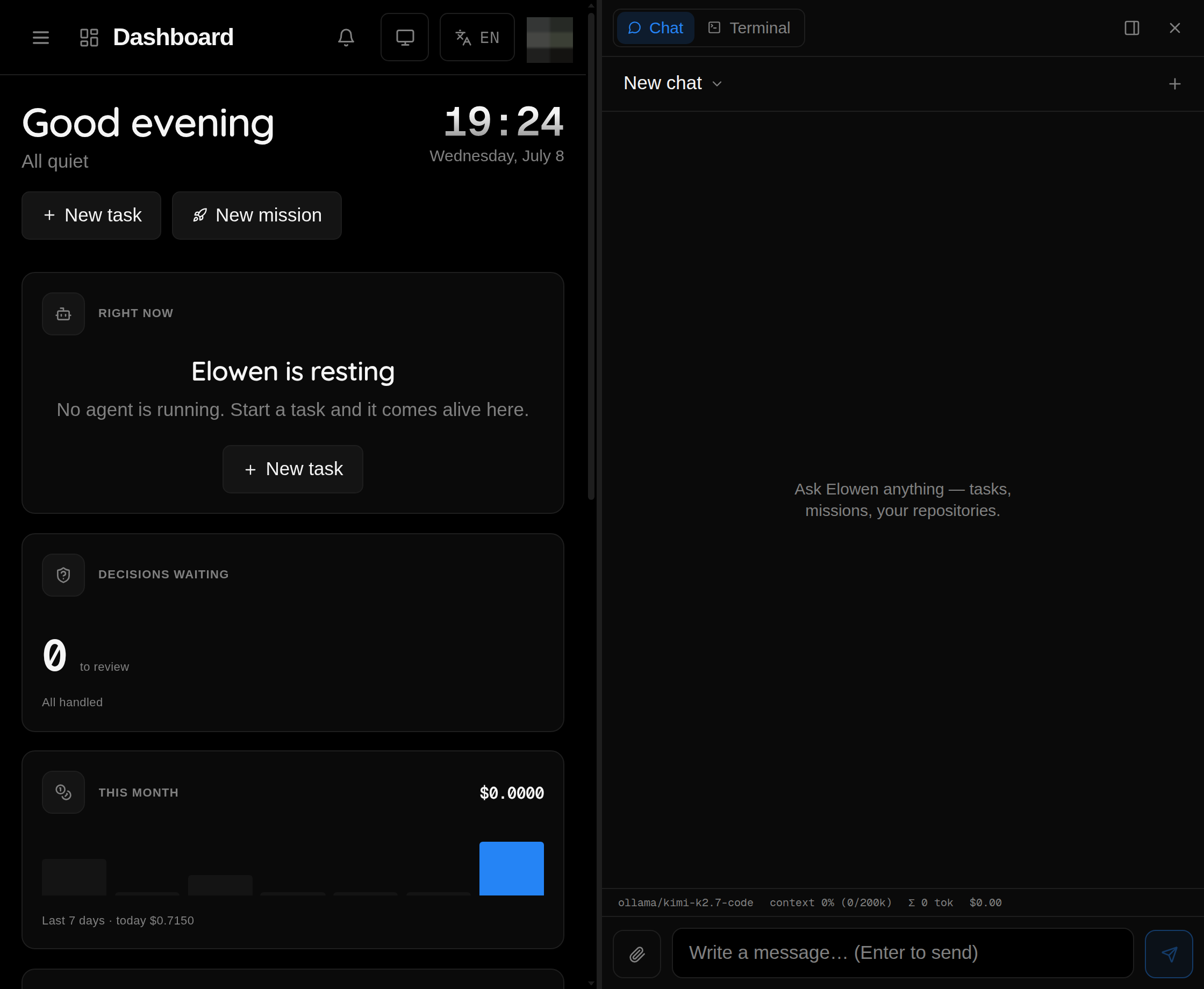
Because Elowen can run real work for you, it also gives you rich surfaces to watch and steer what it's doing — a live dashboard, a kanban board, a timeline of activity, and real terminal sessions you can jump into. Those surfaces are how you observe and control the agent. They are not the product; the agent is.
This guide takes you from zero to your first conversation and your first task in a couple of minutes.
What Elowen is
- An agent you chat with that does the work — plans, calls tools, edits code, runs commands, and follows up with you.
- Self-hosted: a daemon (REST API on
:4400) plus a Next.js web UI (:4500), driven by theelowenCLI. - Extensible to the core: every capability — chat platforms, tools, memory, automation, security — is a plugin you add or remove.
The four things that make it Elowen
- Clarity — a clean, uncluttered UI where you always see what the agent is doing.
- Simplicity — easy to run, easy to control, sensible defaults, low friction.
- Fully extensible — every capability is an add/remove-able plugin. Elowen is modular to the core.
- Lightweight, professional-grade — self-hosted, small footprint, clean codebase.
Prerequisites
- Node.js ≥22 (ESM)
- tmux ≥3.x (agents run in isolated tmux sessions)
- npm
- A C toolchain (
python3,make,g++) — optional, only needed whennode-ptyhas no prebuilt binary for your platform. Terminals still work without it.
Quick install
npm install -g elowen
elowen setup
The package is elowen; it installs the elowen command. elowen setup brings
the daemon and web UI up, then walks you through a ~2-minute onboarding wizard:
- Account — create your first admin user
- Project — point Elowen at a working directory (a git repo it can act in)
- AI provider — connect a model and run a live chat smoke-test (a real, tiny completion) so you know it actually answers before you rely on it
- Memory — optionally enable long-term memory so the agent remembers things across conversations
- Code intelligence — optionally install the TypeScript language server
Standing Elowen up as a shared service instead? elowen install (run as root) does
the full server provisioning — a dedicated system user, the elowen-daemon and
elowen-web systemd units, a reverse proxy with optional Let's Encrypt HTTPS, and
the auto-update timer — then runs the same onboarding wizard at the end. See
Install.
Run elowen doctor any time afterwards to see a checklist of what's working
(chat, tasks, missions, memory, platforms, plugins) and a hint for fixing
anything that isn't.
Start it up
elowen setup already brought Elowen up. To control the services yourself:
elowen up       # start the daemon (:4400) + web UI (:4500) in the background
elowen down     # stop them
elowen status   # check they're running and healthy
Open http://localhost:4500 in your browser and log in with the admin account
you just created.
Talk to your agent
Start with a conversation — that's the whole point of Elowen.
-
In the web UI, open the chat dock and just type. Ask it something concrete: "list the files in this repo", "what changed in the last commit", "summarize the open tasks".
-
Or from your terminal:
elowen chat
Watch it reason, call tools, and stream a reply back. The brain — Elowen's embedded agent core — is what you're talking to, and it has access to whatever tools and projects your account is allowed to use. It carries memory across conversations (facts worth keeping resurface on their own) and a personality you can shape — tone and style — from your Account settings. Learn more in Brain & Chat.
Give it a task to run
A task is Elowen's atomic unit of work. When you create one, the daemon spawns a coding agent in its own isolated tmux session and puts it to work.
From the web UI:
- Open Tasks → New task
- Give it a title like "Hello Elowen"
- Pick an executor (e.g. Claude Sonnet)
- Hit Create
Or from the CLI:
elowen api POST /tasks '{"title":"Hello Elowen"}'
elowen ls                 # see your task
A task created this way runs on Elowen's built-in engine using whatever brain
provider elowen setup connected — no separate agent CLI needed. To hand it to a
specific coding-agent CLI (Claude Code, OpenCode, Codex, Kilo Code) for that
agent's own tools and context handling, pick an executor in the web UI's New
task dialog.
Then watch it work live in the Sessions page — where you can pop open a real terminal and intervene with one click — or from the CLI:
elowen sessions
Tasks group into missions, and missions into epics. See Tasks & Missions for how work is organized.
Who can do what (RBAC)
Elowen has full role-based access control. There are two roles — admin and member — and, crucially, each user can have a different set of tools and permissions. An admin can grant one user the terminal and files tools, give another only chat, choose which models each person may run, and scope each user to specific projects.
This per-user tools-and-rights model is a headline feature, not an afterthought. The full depth lives in Account & Security.
What's next
- Install — detailed installation options, Docker, and build-from-source
- Brain & Chat — the agent core you talk to
- Web UI — a tour of the surfaces that let you observe and steer the agent
- Plugins — extend Elowen with Discord, WhatsApp, cron, skills, and more
© 2026 Elowen · MIT Licensed
Reference on GitHub