 v0.16.0 · Self-hosted · MIT
The AI agent you host yourself.
Elowen is a self-hosted AI agent you chat with — it reasons, calls tools, edits code and runs commands. Reach the same agent from the web, your terminal, Discord or WhatsApp. Your machine, your models, your data.
npm install -g elowen && elo install Not an orchestrator. An agent you talk to.
You chat with Elowen and it acts — reasoning, calling tools, editing files and running commands. The dashboards, kanban and terminals are how you watch and steer it. Four principles hold the whole thing together.
Clarity
A clean, uncluttered UI where you always see exactly what the agent is doing — every reason, every tool call, every change.
Simplicity
Easy to run, easy to control. Sensible defaults, one command to start, low friction from install to first task.
Fully extensible
Every capability — chat platforms, tools, memory, automation — is an add/remove-able plugin. Modular to the core.
Lightweight, pro-grade
One small daemon plus a Next.js UI over a single SQLite file. Self-hosted, tiny footprint, a codebase you can actually read.
One agent. Four surfaces.
Same reasoning, same tools, same memory — only the window changes. And because every platform is a plugin, you decide where your agent lives.
Web dock
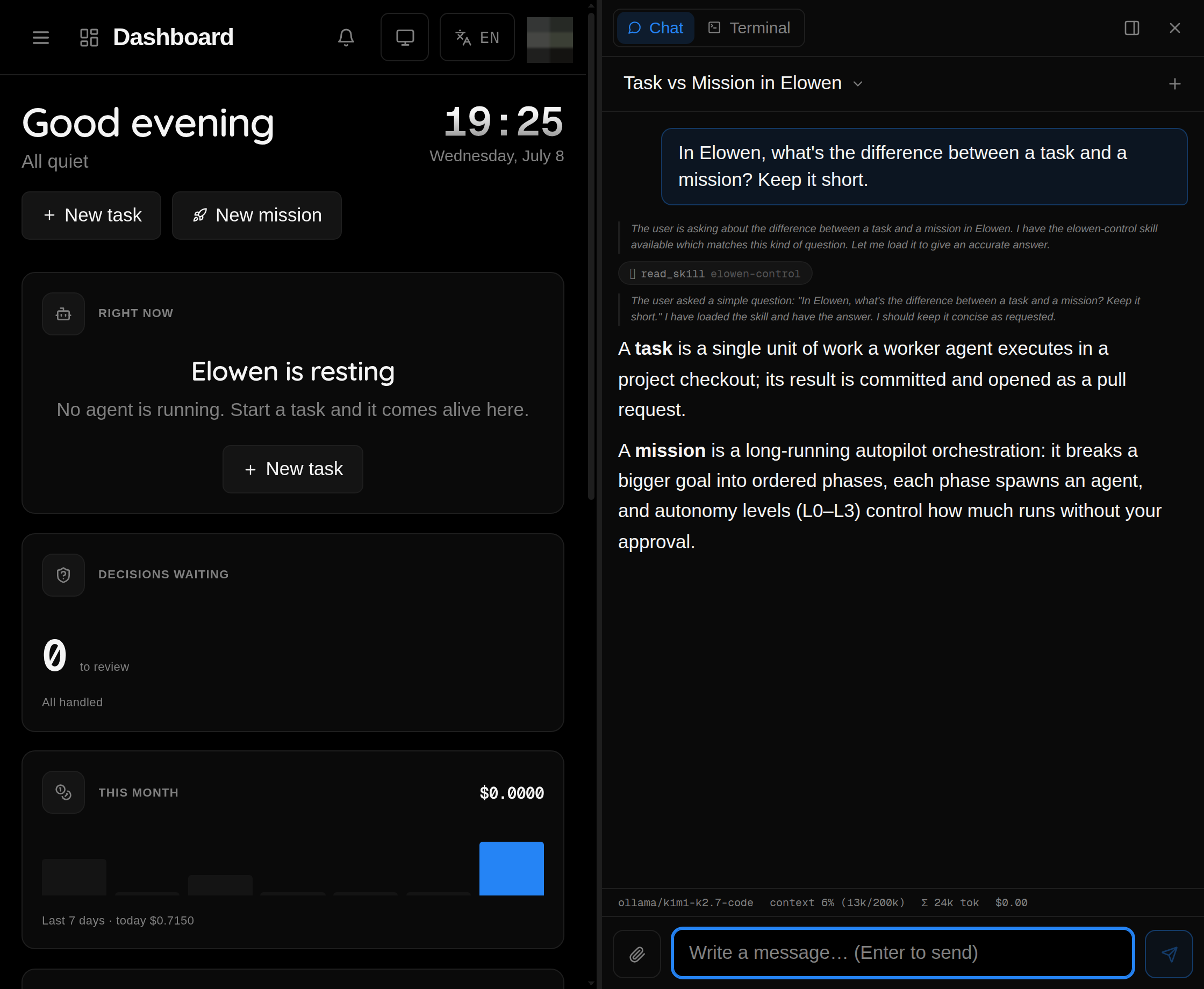
A resizable side panel that follows you across the whole UI — chat, tool-call traces, a live todo panel, per-conversation model picker.
CLI
elo chat drops the full agent into your terminal: tool glyphs, inline diffs and a status bar, opencode-style.
Discord
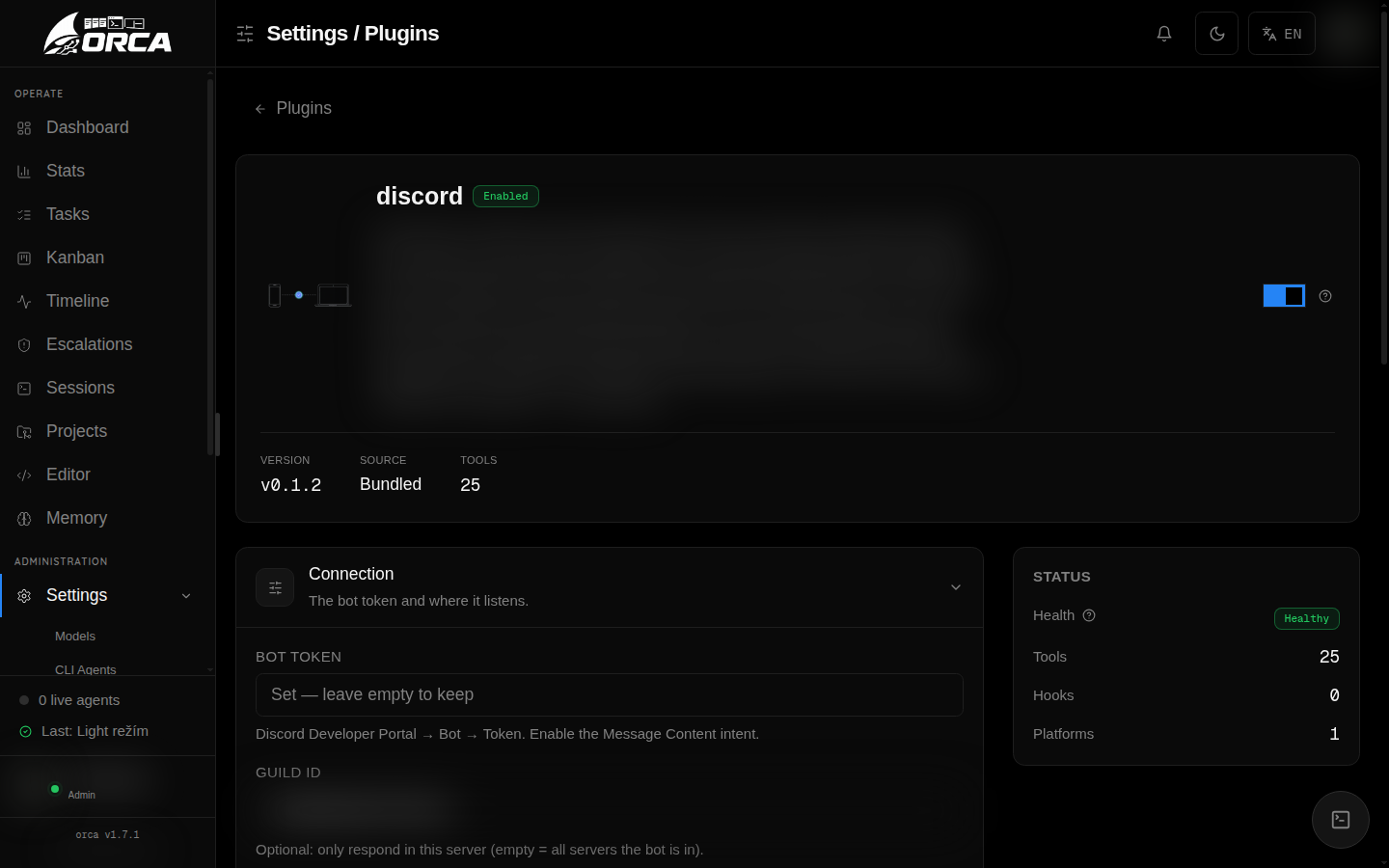
A native bot (no client lib). Mention it in a channel for streamed replies, a per-channel model picker and role→project policies.
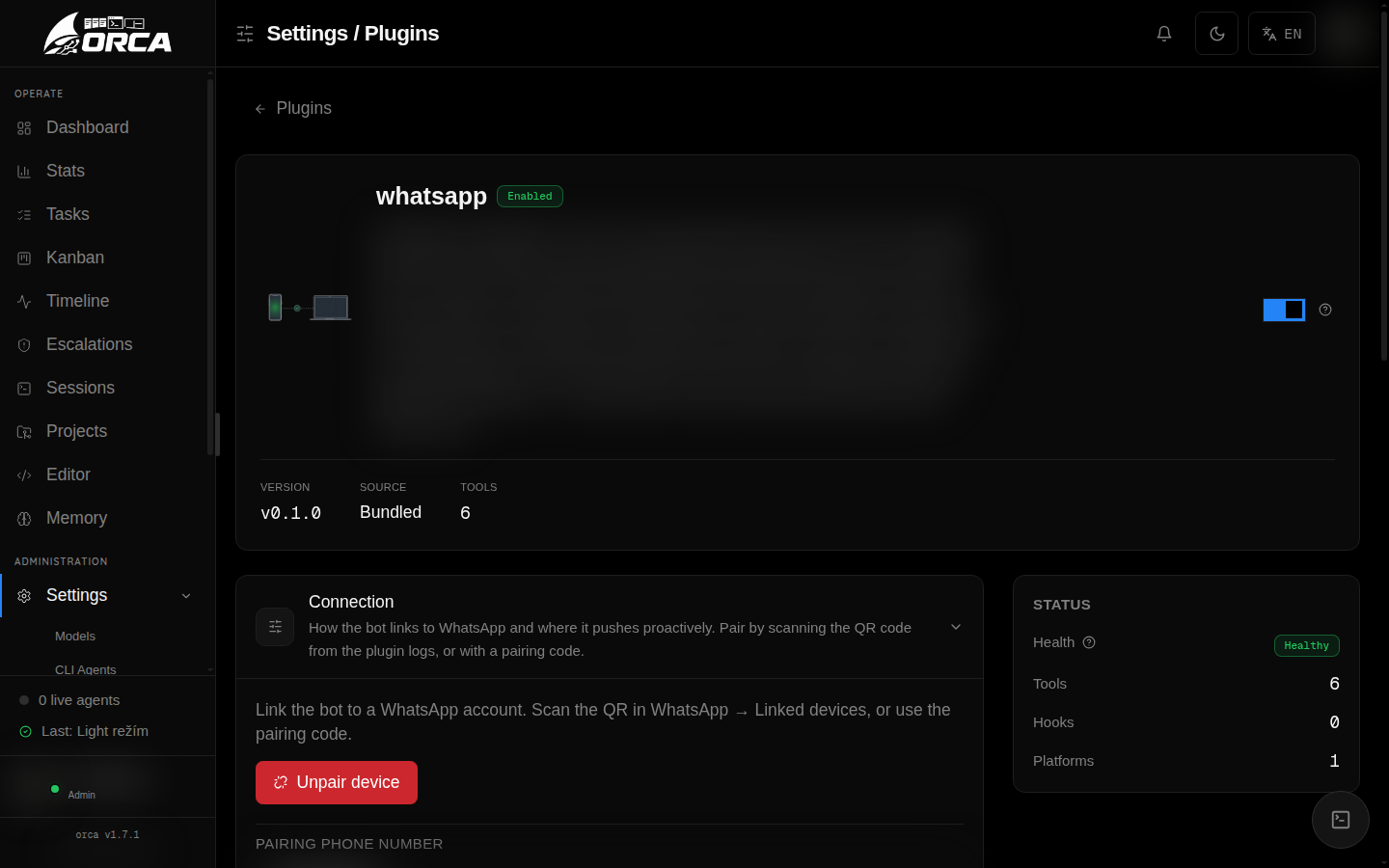
Chat from your phone, powered by Baileys. Edit-in-place streaming, a numbered model menu and proactive pushes.
Built to do the work — and be reshaped.
A real agent core, wrapped in surfaces that keep you in control. Everything you see is self-hosted and yours.
An agent that acts
Chat with Elowen and watch it work — it reasons, calls tools, edits files and runs commands, streaming every step back with full tool-call traces. The brain is a small, self-hosted multi-provider engine you run yourself.
Modular to the core
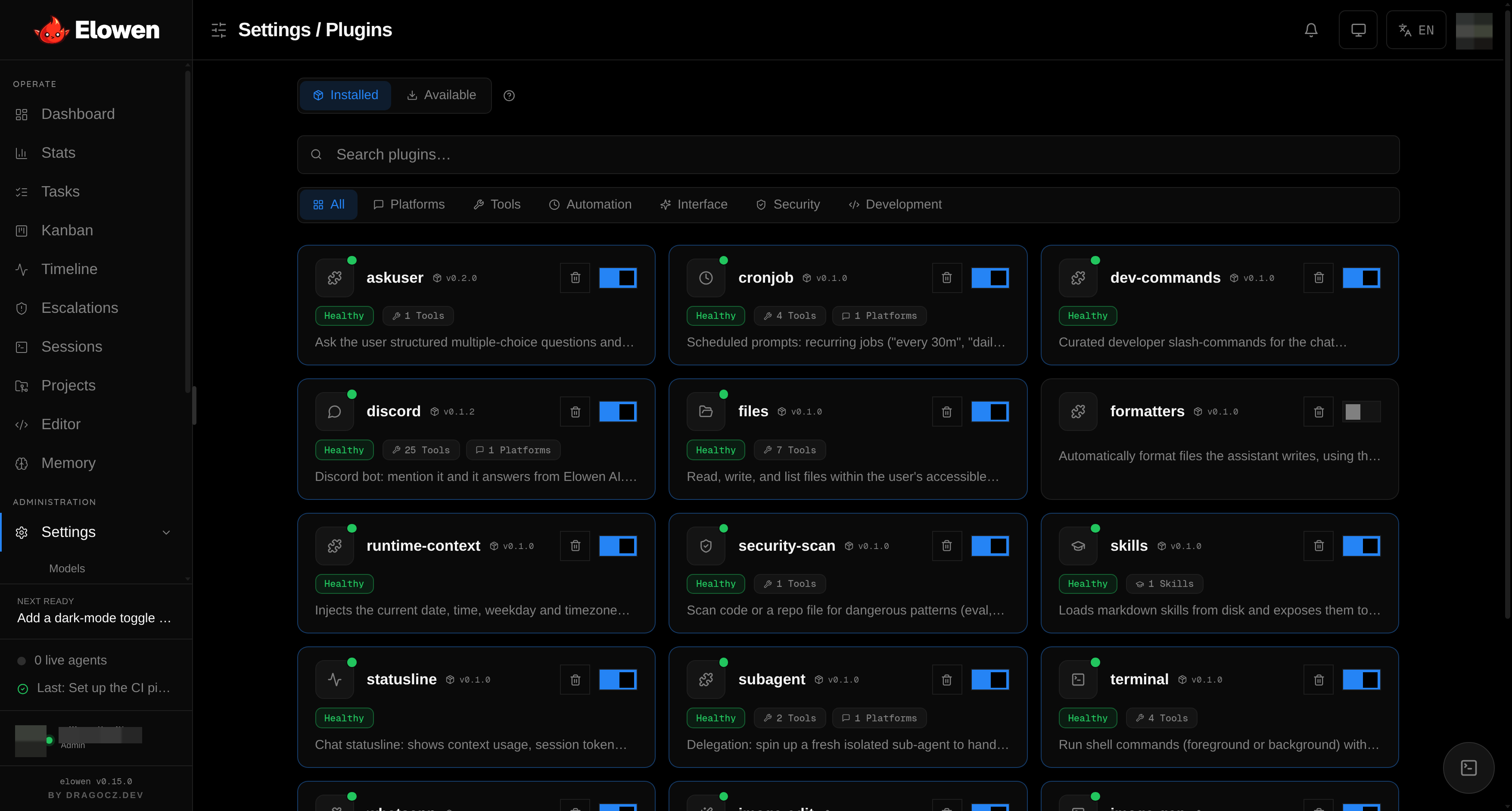
Almost everything the agent can do arrives as a plugin — chat platforms, tools, memory, automation, even the status line. Install from the marketplace, toggle, and configure live. Hot-reload means no daemon restart.
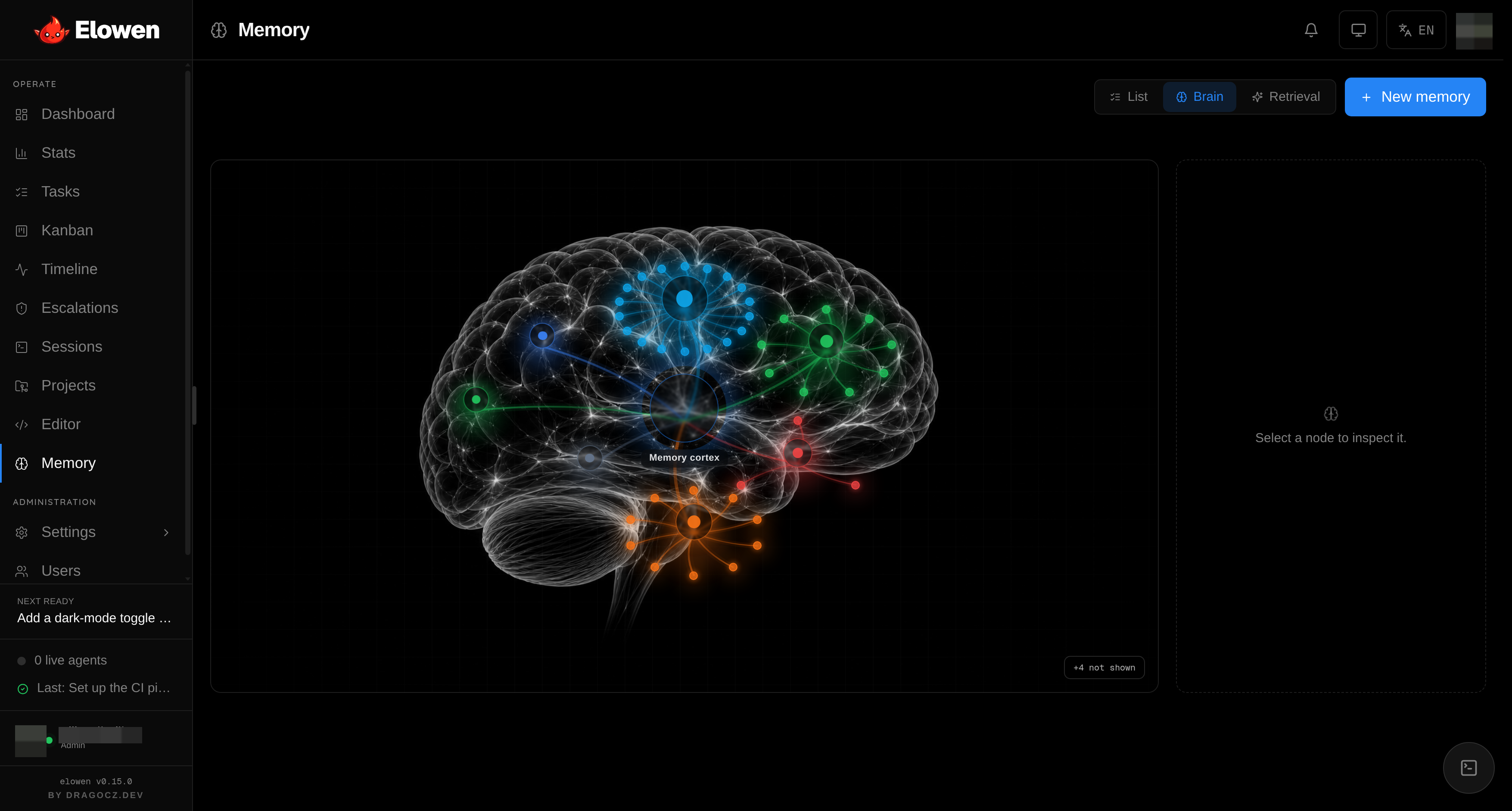
It remembers you
Long-term memory across conversations, backed by a self-hosted mem0 server. Relevant facts are recalled at the start of a turn, saved after it, and mapped in a visual “glass brain” you can browse, merge and purge.
Everything is a plugin.
The agent's capabilities aren't baked in — they're composed. Browse the marketplace, install with one click, toggle and configure live. Bundled plugins ship with Elowen; the rest you add yourself.
Platforms
Discord, WhatsAppChat surfaces the agent lives on
Tools
files, terminal, mcp, subagent, askuserActions the agent can take
Memory
long-term recallEvents and facts across conversations
Automation
cronjobScheduled and recurring work
UI
statusline, runtime-contextChat surface extras
Security
security-scanAdvisory safety checks
Development
skillsAuthoring capabilities
A manifest + one ESM file. Read the plugin API in the docs.
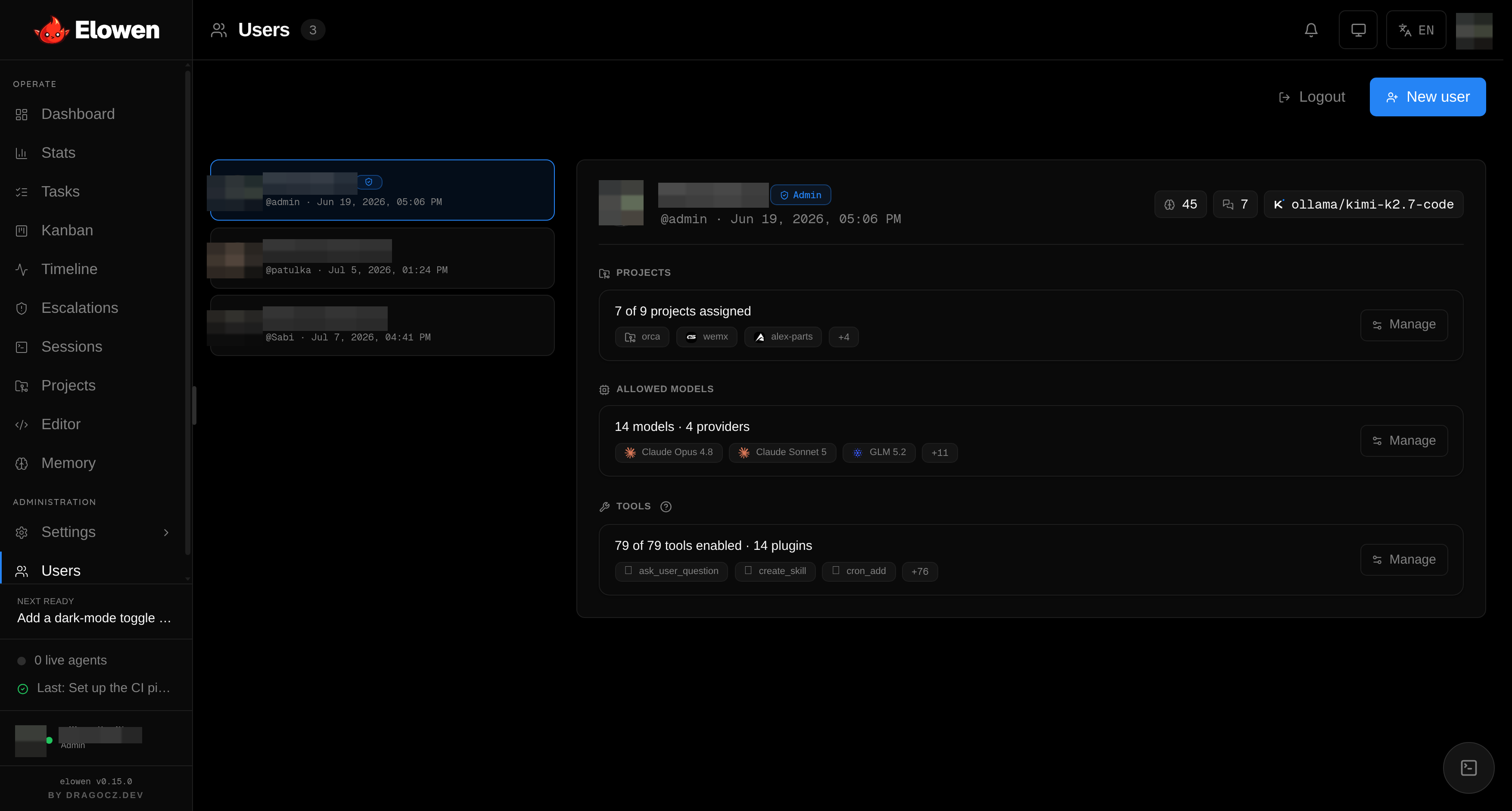
Role-based access, per user.
Elowen ships full RBAC. The headline isn't the two roles — it's that every user can have a different set of tools, models and projects. The agent you chat with only ever wields what you're allowed to use.
- Two roles, per-user grants Admin and member — and each user carries a different set of tools and permissions, not just a role.
- Tools per person Give one user the terminal and files tools, another only chat. Enforced at the data layer, not the UI.
- Scoped to projects Each user sees and acts on only the projects you assign — the agent never wanders outside them.
- Models per user Choose which executors and models each person may run, per account.
- Teams on Discord Invite your team to a shared Discord server. Each member gets their own permissions — one agent, many contributors, zero friction.
Let it run. See everything.
When you hand the agent a bigger goal, these surfaces are your window onto it — a real web UI for planning, dispatching and watching, not a wrapper around a CLI.
Autopilot, end to end
Hand it a one-line goal and Elowen runs the whole loop autonomously — decomposing, dispatching agents and gating anything destructive until it lands a reviewed pull request.
- 01
Goal
Define the outcome you want to achieve.
- 02
Mission
Elowen decomposes the goal into ordered phases.
- 03
Agent
A coding agent picks up each phase and executes.
- 04
Approval
You review and approve before anything destructive runs.
- 05
PR
A clean pull request lands on your branch.
What it runs on.
Deliberately small: one Node daemon plus a Next.js UI over a single SQLite file. No external services, no heavy runtime — small enough to self-host on a modest box, clean enough to read end to end.
Route each task to a coding-agent CLI by label — plus a built-in MCP server and real-PTY WebSocket terminals.
Open source. Built for builders.
Elowen is 100% open source and self-hosted. Run it anywhere, read every line, extend it with plugins, and shape where it goes. A clean, tested codebase — ~1,720 daemon and ~560 web tests keep it honest.
github.com/dragocz95/elowen
Open - MIT licensed Permissive, no strings. Fork it, embed it, ship it.
- Self-hosted & local-first Your machine, your models, your data. No SaaS lock-in.
- Plugin marketplace Extend the agent from a curated registry — or publish your own.
- Agent-agnostic Claude Code, OpenCode, Codex, Ollama — route by label.
Run your own agent in a minute.
One global package, one command, then open the dashboard in your browser. No separate services to wire up.
$ npm install -g elowen
$ elo up

✓ Elowen is running at http://localhost:4500
Other install options (Docker, build from source)
$ git clone https://github.com/dragocz95/elowen.git
$ cd elowen && npm install && npm run build
$ node dist/daemon/index.js
A minimal Docker image (node:22-alpine + tmux) and full setup steps are in the install docs.