
Architecture
Elowen is a personal AI agent you chat with — it reasons, calls tools, edits files, runs commands, and manages tasks across the web, the CLI, and chat platforms. This page is for when you want to look under the hood and see how that agent is built.
The design follows Elowen's fourth pillar: a lightweight app with professional-grade code. The whole system is a single Node.js daemon plus a separate Next.js web process, both backed by one SQLite file. It is small enough to self-host on a modest box, and clean enough to read end to end. The dashboards, kanban, timeline, and terminal sessions you use every day are all just windows onto this core — ways to observe and steer the agent, never a separate product.
System overview
┌──────────┐     ┌──────────────┐     ┌───────────┐
│  Browser │────▶│  Web (4500)  │────▶│  Daemon   │
│  (PWA)   │     │  Next.js BFF │     │  :4400    │
└──────────┘     └──────────────┘     │  REST API │
                                      │  SSE      │
┌──────────┐     ┌──────────────┐     │  MCP      │
│  CLI     │────▶│  elowen client │────▶│  WS/PTY   │
│  chat    │     │  (dist/cli)  │     └────┬──────┘
└──────────┘     └──────────────┘          │
                                     ┌─────┴──────┐
                                     │  SQLite DB │
                                     │  elowen.db   │
                                     └────────────┘
There are two long-running processes:
- The daemon is the agent core. It is a single Node.js process that exposes the REST API, the SSE event stream, a built-in MCP server, and WebSocket/PTY terminal streaming — all on port :4400. This is where tasks are scheduled, agents are spawned, the brain runs, and every state change originates. See Configuration for how to point it at a different port or database.
- The web UI is a separate Next.js process on port :4500. It never talks to
the database directly. Instead it proxies every request through a same-origin BFF
(backend-for-frontend), so the browser only ever sees
:4500and the daemon stays private. This keeps the security boundary clean and the front end lightweight.
The elowen CLI is a thin client over the same REST API, with daemon autostart built
in — the first command you run brings the daemon up if it is not already listening.
See Install for how the two processes are wired at startup.
Module structure
The daemon's source is organized by responsibility, one directory per concern:
src/
├── api/              Hono REST router + SSE event bus + BFF services
├── brain/            The embedded agent you chat with (facade + services)
├── plugins/          Plugin registry, loader, hook bus, capabilities
├── embeddings/       Embedding service + background embed queue
├── cli/              CLI client with daemon autostart
├── daemon/           Bootstrap, DI wiring, timer loops
├── deriver/          Agent terminal polling (5s)
├── inference/        LLM inference relay
├── overseer/         Mission engine, routing, planner, scheduler
├── spawn/            Coding-agent launcher + resume strategies
├── tmux/             Tmux abstraction
├── terminal/         Real-PTY WebSocket streaming
├── mcp/              Built-in MCP server
├── advisor/          Per-user external-CLI advisor session
├── integrations/     Project files, CLI detection
├── lsp/              Language-server client (code intelligence tools)
├── git/              Repo reader (diffs, status, PR state)
├── push/             Web-push (VAPID) dispatch to the PWA
├── prompts/          Prompt template system
├── shared/           Utilities, clock, executor metadata
└── store/            SQLite data layer
A few of these deserve a note:
apihosts the Hono REST router and the SSE event bus that every surface subscribes to. When the dashboard updates live, it is reading from here.brainis the embedded agent core you actually chat with — an in-process agent session per conversation, exposed to the daemon as a singleBrainServicefacade over a set of focused units (session assembly, the turn pipeline, the goal loop, permission approvals, channel turns and platform adapters). See The brain below.pluginsis the shared, hot-reloadable registry that gives the brain its tools, skills, prompt fragments, hooks and platform adapters. See Plugins and the hook bus.overseeris the mission engine: it plans work, routes tasks to executors, and runs the scheduler. This is the machinery behind autonomy levels L0–L3.spawnandtmuxlaunch coding-agent CLIs (Claude Code, OpenCode, Codex, Kilo Code) in isolated terminal sessions and resume them.storeis the single data layer over SQLite. Everything persists through here — there is no second database and no parallel store.
The brain
The brain is the embedded agent you actually chat with — on the web dock, from the CLI, and through every chat platform. Unlike coding tasks, which the daemon runs by spawning an external CLI in a tmux session, a brain conversation is an in-process agent session that lives inside the daemon itself: one session per conversation, holding its own history, tools and running turn.
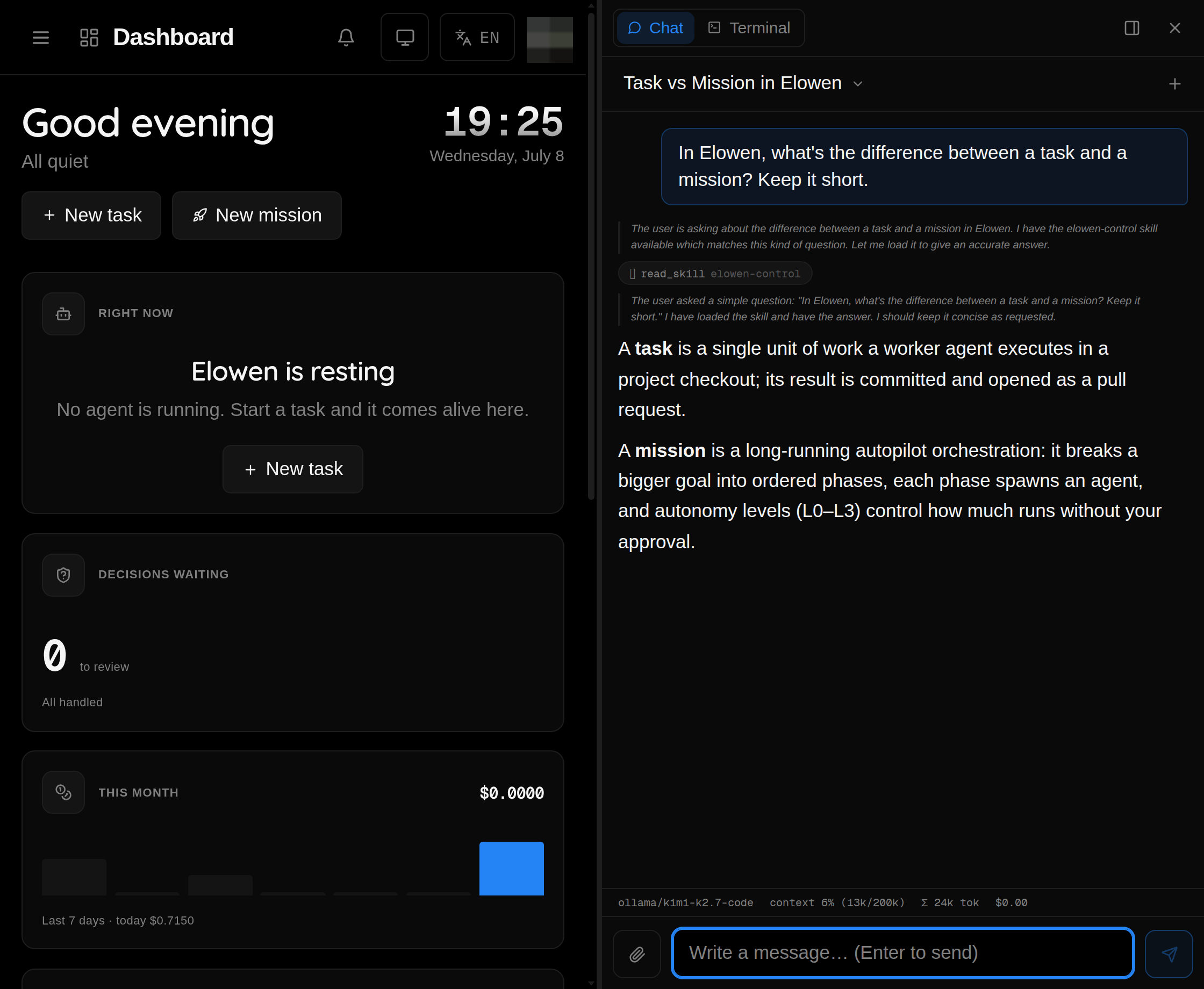
The whole thing is exposed to the rest of the daemon as one BrainService facade, a
thin front over a set of focused units — session assembly, the turn pipeline, the goal
loop, permission approvals, read-only status views, channel turns and the platform
adapters. That keeps the wiring familiar while the real work stays split into small,
testable pieces.
Conversations are reachable two ways, and the distinction matters when several surfaces talk to the brain at once:
- Pointer-based — the web dock and chat platforms carry no session id; every call acts on your active conversation. Opening a conversation anywhere moves the pointer.
- Session-bound — the CLI resolves its conversation once and passes that id on every call. Bound calls are ownership-checked and never move the active pointer, so two CLIs (or a CLI plus the web dock) can work independent conversations at the same time without hijacking each other.
The same brain machinery can also execute work, not just chat. A brain worker runs an
elowen: coding task on the embedded brain — an in-process agent session scoped to the
task's checkout, with policy-guarded tools and a built-in close tool — as an alternative
to spawning an external CLI in tmux. Task states flow through exactly as they do for CLI
workers, and a watchdog recovers any that stall (one of the timer loops
below).
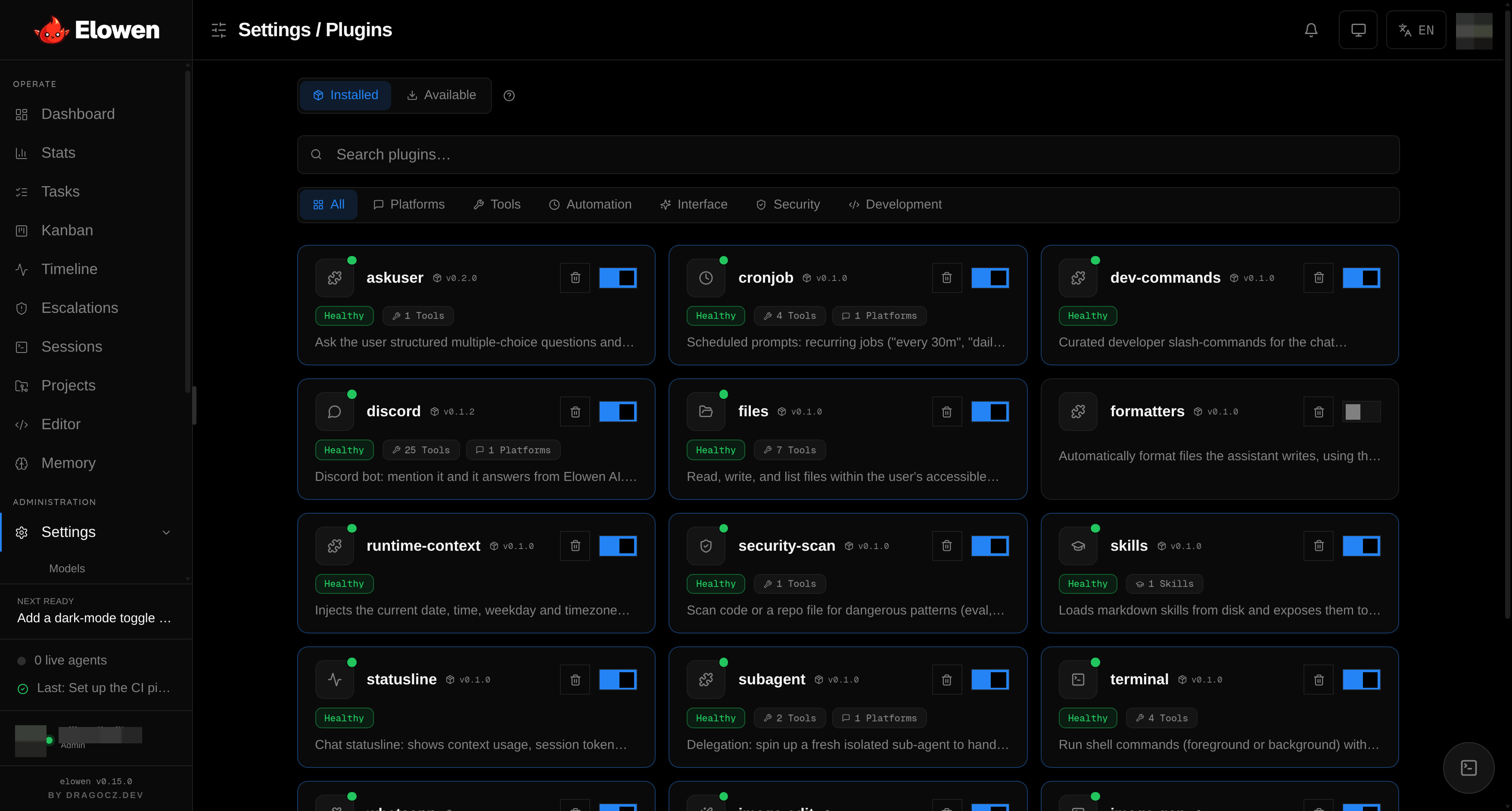
Plugins and the hook bus
Almost everything the brain can do — its tools, skills, prompt fragments, chat
slash-commands, lifecycle hooks and platform adapters — comes from plugins, not from
hard-coded daemon code. At startup the loader scans the plugin directories, reads each
manifest, and merges every enabled plugin's contributions into a single shared
PluginRegistry that the brain draws on for every turn.
Two properties make this more than a plugin folder:
- Shared and scoped. There is one registry per daemon, but each plugin only ever
sees a
PluginContextscoped to its own config slice, a name-prefixed logger, and a path guard that pins its filesystem access to the roots it is allowed to touch. Tool, control and command names are unique across plugins — a collision is dropped first-writer-wins and warned about, never silently merged. - Hot-reloadable. Toggling a plugin on or off, or editing its config in Settings,
hot-reloads the registry (
brain.reloadPlugins()) — no daemon restart. New conversations pick the change up immediately.
Because plugins run inside the agent's turn, they are capability-gated. A plugin's
manifest declares what it may do, and the hook bus enforces it deny-by-default. The
bus runs hooks in two modes: observational hooks all fire concurrently, fail-open, and
have their return value discarded (a throwing or timed-out hook is warned about and
skipped); mutating hooks run sequentially in a deterministic order, and a hook may
only patch turn state (e.g. append turn context) if its plugin declared the matching
mutates capability — every run is written to a mutation audit trail. This is what lets
a plugin extend a live turn without any one plugin being able to quietly rewrite the
prompt, the tool set or memory.
Built-in plugins cover the everyday tools (files, terminal, MCP, skills, ask-user, subagent delegation), the platform surfaces below, and utilities like formatters, security-scan and runtime-context. See the Plugins section for the full list.
Memory engine
The brain has a per-user long-term memory: durable facts it can recall across conversations. Three pieces keep it useful without ever blocking a chat turn.
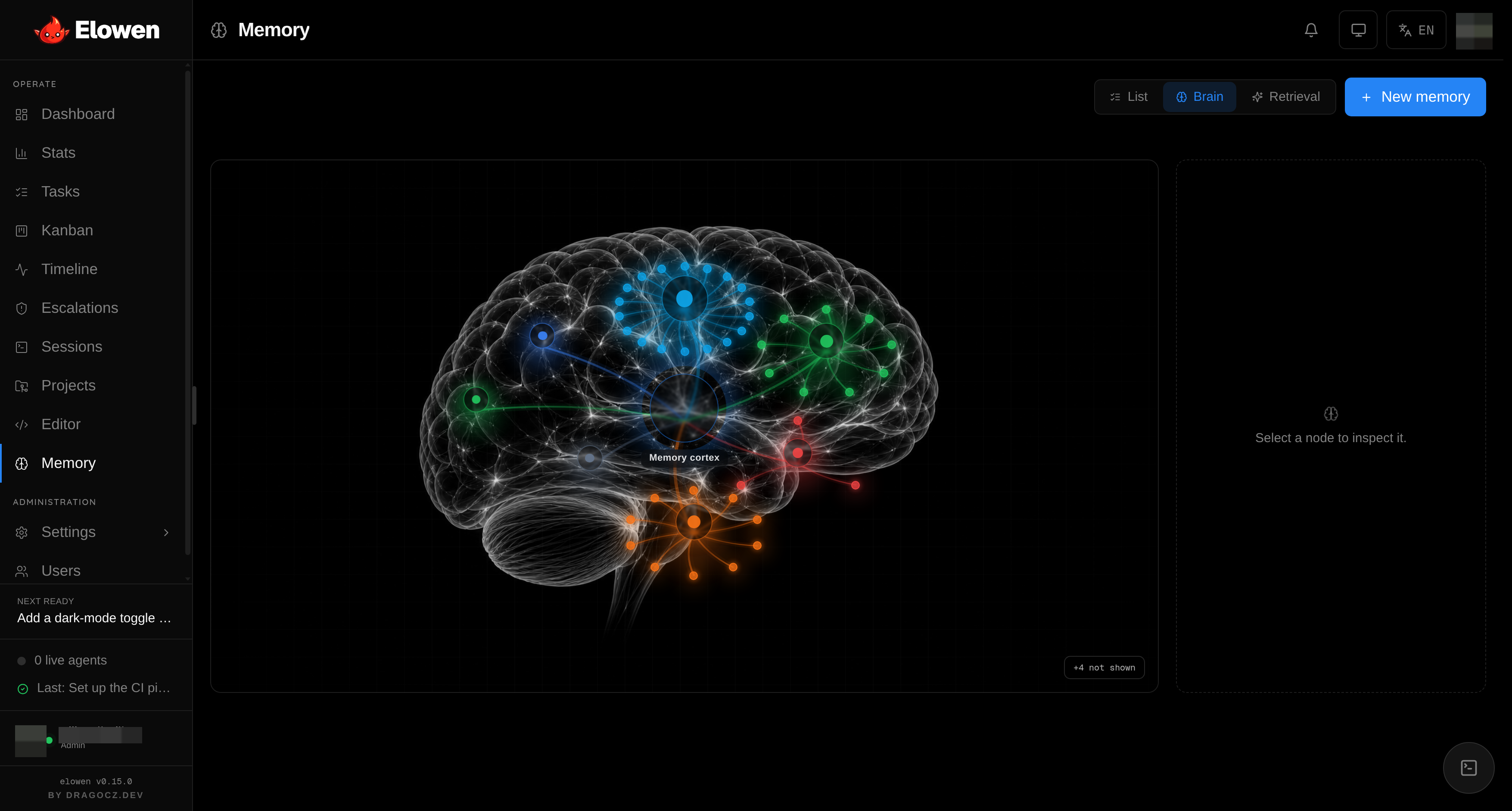
- Embedding queue. Memories are stored as plain text first; a background drainer
(the
embedtimer loop) later generates their vector embeddings a batch at a time, so writing a memory never waits on the embeddings provider. It is idempotent and stateless — each tick re-derives the pending set — and simply no-ops when no embedding provider is configured, leaving retrieval to fall back to keyword search. - Retrieval. When a turn starts, the most relevant memories are injected into context. Ranking blends semantic similarity (the dominant signal) with a memory's importance, recency and how often it has been used, then dedupes near-identical facts and caps the result to a tight budget (~6 memories) so the prompt stays lean.
- Curator. After an owner exchange settles, a cheap model distills any durable, reusable facts and applies them as a small, capped batch of add / update / delete / merge operations — deduping against what is already stored. It runs fire-and-forget, never throws into the chat, and every mutation is audited as an agent action. Automatic curation is a setting; when it is off, memory grows only from what you save by hand.
Platform adapters
Chat platforms plug into the brain the same way tools do — as plugins that contribute a
platform adapter. The PlatformOrchestrator connects each adapter at startup,
translates every inbound message into a brain channel-session turn (policy → identity →
send), and fans the brain's proactive notifications back out. Adapters are fail-open:
one broken platform can't stall the rest.
Four ship today:
- Discord — mention the bot and it answers from the brain, with live-streaming replies, a per-channel model picker and server-management tools. Each Discord role maps to a set of allowed projects plus a role prompt.
- WhatsApp — the same brain over a linked WhatsApp account.
- Cron — scheduled and one-shot prompts ("every 30m", "at 18:30") that fire as the brain's own conversations with full owner powers, driven by the scheduler loop.
- Subagent — delegation: a turn can spin up a fresh, isolated sub-agent to handle a self-contained task and return its result, inheriting the caller's access and never more.
When a platform sender is a linked Elowen account, their turns run through that account's own project policy and tool grants — exactly as their web chat would; unmapped senders stay silent. See Plugins for setup of each surface.
Timer loops
Much of the agent's autonomous behaviour is driven by periodic loops in the daemon. Each runs on a fixed interval:
| Loop | Interval | Purpose |
|---|---|---|
| Overseer tick | 90 s | Tick active missions, spawn ready tasks |
| Scheduler | 30 s | Launch due scheduled/autostart tasks |
| Janitor | 60 s | Kill zombie tmux sessions for closed tasks |
| Stuck detector | 60 s | Revert tasks whose agent died without closing |
| Deriver | 5 s | Poll tmux panes, detect agent state |
| Overseer watchdog | 60 s | Re-park missing overseers + liveness sweep |
| Decision sweep | 30 s | Sweep panic/check decisions on paused missions |
| Token purge | 1 h | Delete expired auth tokens |
| Event purge | 1 h | Drop events past retention |
| Ticket sweep | 60 s | Sweep expired terminal WS tickets |
| PR feedback | 60 s | Poll open PRs for review feedback |
| Embed queue | 30 s | Process background embedding jobs |
| Brain worker watchdog | 60 s | Recover stalled brain chat workers |
These loops are why the agent keeps working while you are away: missions advance, scheduled prompts fire, dead sessions get cleaned up, and stalled workers recover — all without a human clicking anything.
Data flow
Task lifecycle
A task is the atomic unit of work. From creation to cleanup it flows through the daemon like this:
POST /tasks → store.create() → SSE 'task' event
  → Scheduler tick (30s) → spawn agent → tmux session
  → Deriver poll (5s) → detect state → SSE 'signal'
  → Agent closes → PATCH /tasks/:id → snapshot changes → SSE 'task'
  → Janitor (60s) → kill session
Every arrow that emits an SSE event is something you see live in the UI — the moment a task is created it appears on the Kanban board, and its output streams into the task detail view as the agent works.
Deriver signal flow
The deriver is what lets the agent run coding CLIs unattended. It polls each tmux pane every 5 seconds, reads what the agent printed, and decides what to do about any prompt it finds:
Agent output → Deriver poll → detect prompt
  → autoAccept? → send keys directly
  → needs overseer? → enqueue decision
  → approved? → send accept keys
  → rejected? → SSE 'needs_input' → UI shows Allow/Reject
The needs_input branch is the human-in-the-loop gate: when the agent hits something
it is not allowed to auto-approve, it surfaces on the Escalations screen for you to
Allow or Reject. How much the deriver may auto-approve is exactly what the
autonomy levels L0–L3 control.
SSE event bus
Every state change in the daemon flows through one Server-Sent Events stream at
GET /events. This single bus is what keeps every surface — dashboard, kanban,
timeline, task detail — in sync without polling:
| Event | When | Payload |
|---|---|---|
task | Created, status changed, deleted | task ID + new status |
mission | Engaged, paused, resumed, stalled | mission ID + new state |
signal | Deriver detected state change | session name + signal type |
plan | Plan job status | job ID + status (planning/done/failed) |
review | Review decision | task ID + verdict |
Because the web UI subscribes through the BFF proxy, this real-time feed is what delivers the clarity pillar: you always see what the agent is doing, the instant it does it.
Database
All state lives in one SQLite database running in WAL mode. The schema is a single
file, src/store/schema.sql — there is no migration framework to learn and no second
datastore to keep in sync (the single-source-of-truth principle, applied to storage).
Tables
| Table | Purpose |
|---|---|
projects | Project config (slug, path, notes) |
tasks / task_deps | Tasks, epics, phases and their dependencies |
task_usage | Token/cost usage per task |
agents | Agent registry |
missions / mission_pr | Mission state + PR workflow state |
settings | Runtime config (JSON blob) |
users / auth_tokens | Accounts, roles, grants + bearer tokens |
user_projects | User ↔ project assignments |
user_prompts / user_settings | Per-user prompt overrides + preferences |
user_push_subscriptions | PWA web-push endpoints |
events | Activity timeline |
notes | Inter-agent handoff |
brain_sessions / brain_messages / brain_goals | Brain conversations, history and goals |
personality_profiles / personality_active_profiles | Personality profiles + active selection |
memories / memory_embeddings | Long-term memory facts + their vectors |
memory_events / memory_categories | Memory audit trail + categories |
The RBAC model lives across three of these tables: users holds each account's role
(admin or member) plus its per-user tool and executor grants, and user_projects
scopes which projects a given user can see and act on. That is how one user can have
the terminal and files tools while another has only chat — a different set of tools and
permissions per person, enforced at the data layer. See
Account & Security for the full model.
Default path: ~/.config/elowen/elowen.db. Override it with the ELOWEN_DB environment
variable — see Configuration for the full list of environment
settings.
© 2026 Elowen · MIT Licensed
Reference on GitHub