Your Account & Preferences
Elowen remembers you — not just facts about your work, but how you like the assistant to sound, which model should run your conversations, and how the app should look on your screen. Everything on the Account page is personal to you: it travels with your login no matter where you sign in, and none of it affects anyone else's account. This page walks through what you can tune.
Your models and default worker
Account → Elowen AI holds two independent model choices:
- The chat model — which model your brain conversations run on.
- The Default worker — the executor that runs your tasks when a task does not name one. Any executor you may run is selectable here, including an Elowen AI model enabled in Settings → Models: the daemon then runs the task in-process as an embedded brain worker, with no external coding CLI installed. The two pickers never overwrite each other — the worker choice sets the task engine, not your chat model.
Personality & advisor style
Elowen isn't just capable — it can sound the way you want it to. Each user shapes their own assistant voice, and none of it leaks between accounts.
Communication style is the always-on layer, set in Account → Personality as a single pick: Professional (default), Friendly, Concise or Detailed. It rewrites the assistant's register everywhere your brain runs.
Personality goes further: one Markdown text field, edited inline in Account → Personality, where you write free-form instructions for how Elowen should behave — tone, priorities, things to avoid, anything you'd tell a new collaborator. It's empty by default and autosaves as you type.
There's no per-platform split and no named or activatable profiles — a single
personality body applies identically everywhere your brain runs: web chat,
elowen chat, Discord, Telegram, Microsoft Teams, WhatsApp, and scheduled cron
turns. Runtime knobs (models, thinking level) stay in the Elowen AI section, so
personality and mechanics never tangle.
Your profile & identity links
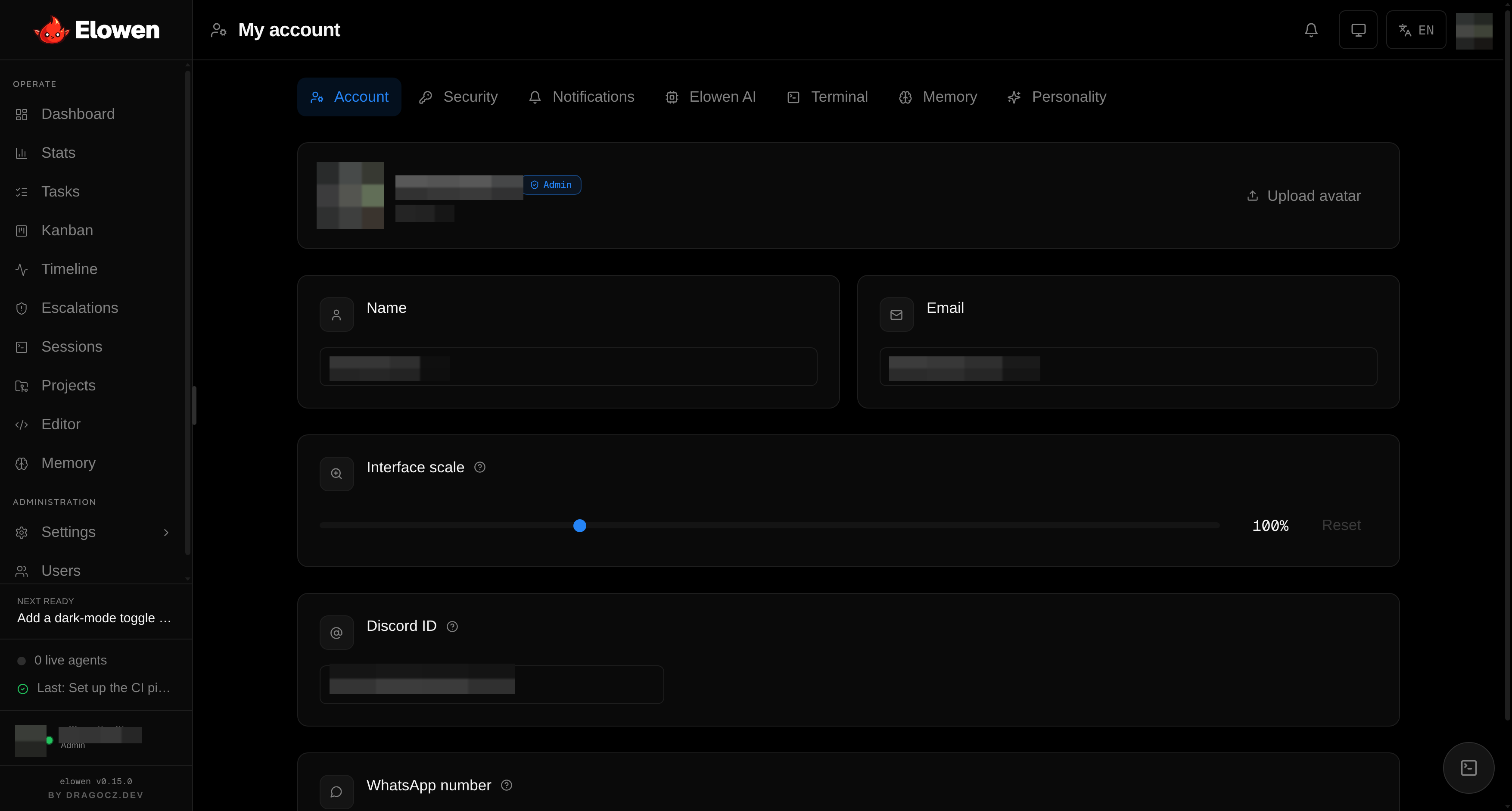
Account → Profile is the personal side of the page: your display name, email and avatar, plus a live UI scale slider that zooms the whole app (a per-device preference, like the terminal look below).
Two fields here are more than cosmetic — they link an external identity to your Elowen account, which is what lets the owner persona and per-user memory work off-web:
- Discord user ID — maps your Discord user to this account, so your Discord messages resolve to you (and, for the channel owner, drive the Discord persona).
- WhatsApp number — the same mapping for WhatsApp.
Both live in your personal settings and autosave as you type.
Terminal appearance
Every web terminal — the advisor dock, session cards, the pop-out — honours a per-user look set in Account → Terminal, with a live preview and autosave:
- Font — size and family (System, Menlo, IBM Plex, Courier).
- Cursor — block / bar / underline, with optional blink.
- Theme —
autofollows the app theme, orcustomunlocks a full 21-colour palette (with ready-made presets). - Scrollback — how much history each terminal keeps.
- Show thinking in CLI — whether the agent's reasoning is streamed in the terminal.
Push notifications
Because the agent runs autonomously, you want to know the moment it needs you. Elowen supports PWA push notifications over the VAPID protocol.
- Subscribe — Account → Notifications → enable on this device. Subscription is per device, so each phone or laptop opts in on its own.
- Events — mission escalations,
needs_inputsignals, stalls, and completions. - Actions — inline buttons let you respond straight from the notification.
- Service worker — a bundled service worker handles incoming push events and clicks.
Inline action buttons
| Action | Effect |
|---|---|
| Allow | Sends an Enter keystroke to the waiting agent |
| Reject | Sends an Escape keystroke |
| Approve | Releases the review gate on a blocked phase |
| Rerun | Re-opens the task and resumes the mission |
This is the human-in-the-loop gate at your fingertips — approve an escalation or steer an agent without opening the app. See Autonomy & Safety for how autonomy levels L0–L3 decide when the agent stops to ask.
Memory
The embedded brain can remember across conversations, and Account → Memory puts both halves of that under your control as per-user toggles (both on by default):
- Auto-recall — before each reply, your most relevant durable memories are injected under your message, so the assistant already knows your standing context.
- Auto-save — after a turn, a curator persists genuinely new, reusable facts to your account.
They're read fresh each turn, so flipping one applies to your very next message,
and they cover web chat, elowen chat and your own verified Discord messages.
For the deep dive on what gets remembered, embeddings, and searching your store,
see Memory & Embeddings.